

Today we want to announce that we have opened a Discord community server as an additional platform to interact with us. The Discord server has the purpose of bringing people from the ProMods community together and be an additional source of information and updates.
Another feature of this Discord server would be to gather information and help for new modders. The goal is to create a platform where new modders can reach out to more experienced ones in order to exchange our skills. One of the things we are planning to do from time to time is livestream our own session in which we work in the map editor.
Privacy and Security is a top priority to create a positive environment on our Discord, this is why we have set up a verification system. The verification system links together your forum and Discord account, when verified, you will have full access to the Discord. You will be able to join the Discord if you aren’t verified, just not have access to all the channels.
We had many challenges with the verification system. Thanks to the help from mgefvert, we managed to set up a secure verification system.
How do I verify?
This guide covers how to join the official ProMods Community Discord and be verified, having access to all the channels.
1. Use this link to verify, you may need to sign in first to your forum account or make one: https://www.promods.net/discord/verify.php
2. Press verify your Discord account.
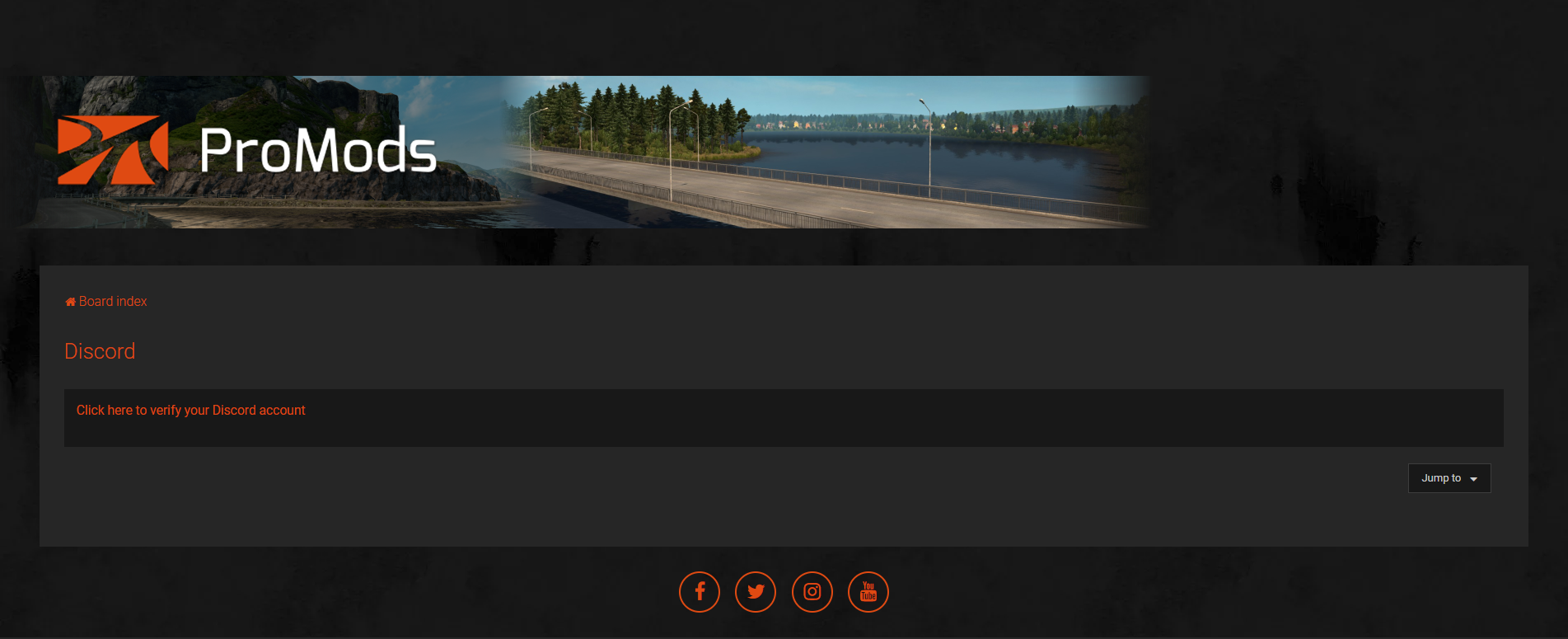
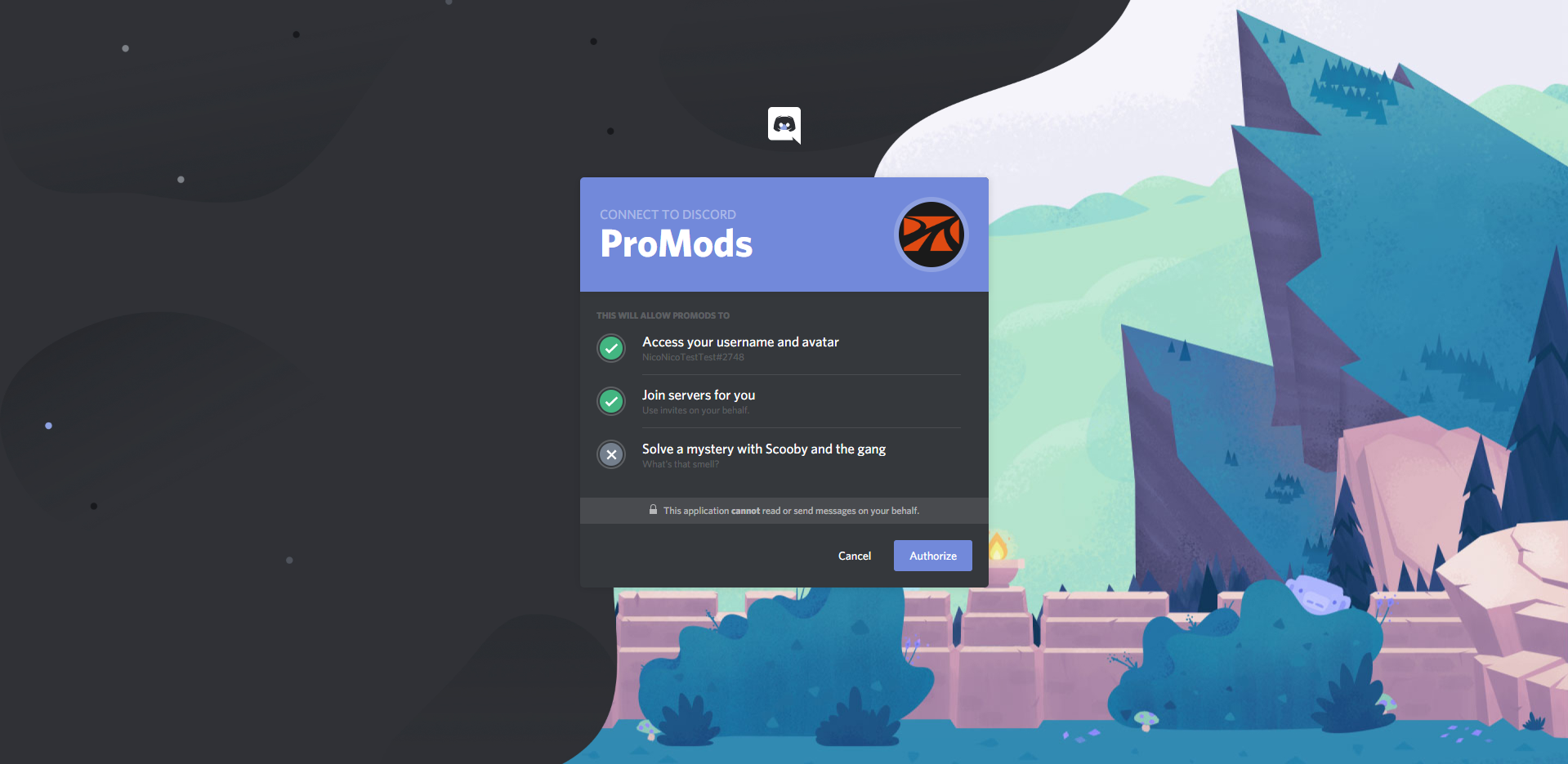
3. You will be taken to this screen, select ‘Authorise’.
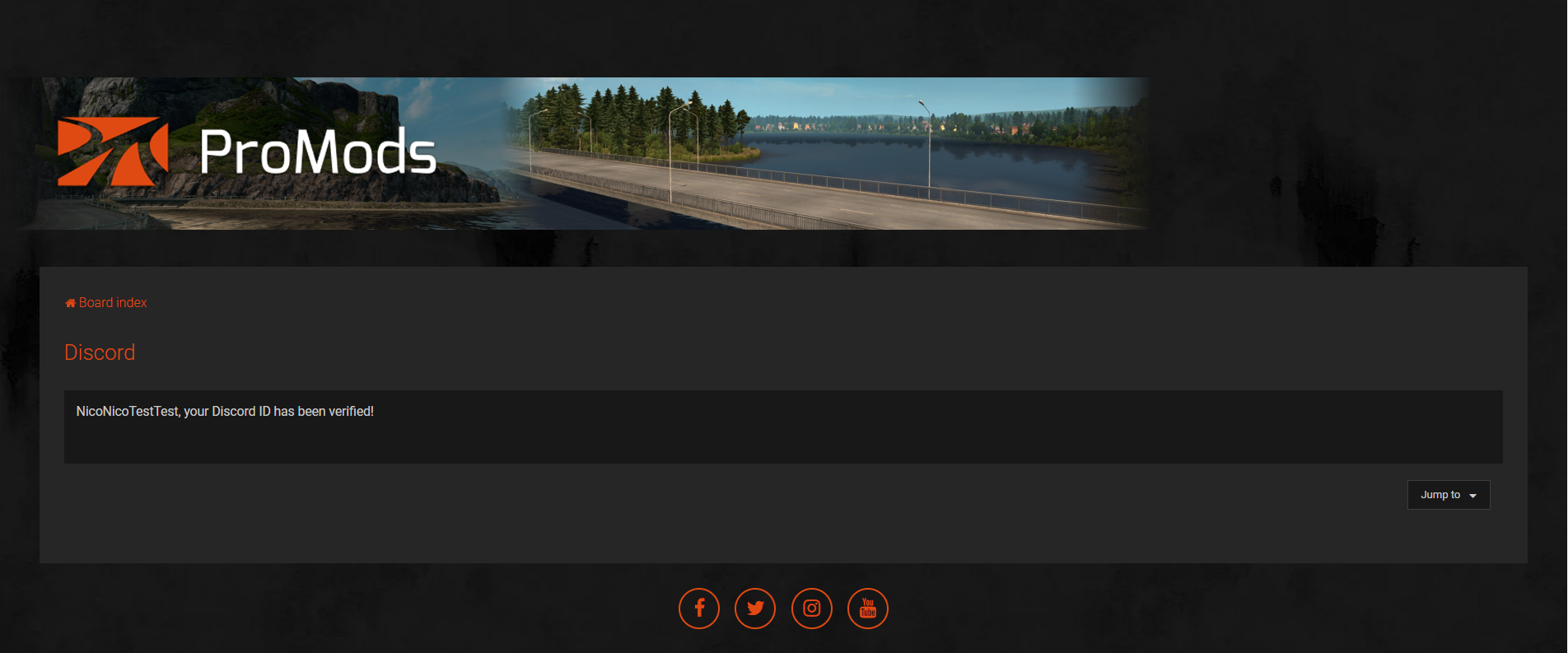
4. You should then be verified, and receive the verified role and have access to all the channels. Make sure to read the rules channel, and enjoy your stay.
If verification doesn’t work you can use a Discord invite to join and use ModMail to ask for support: https://discord.gg/6TxBjsY
We are looking forward to seeing you there.

3 Comments
david
promods-v250.7z.001 werkt niet
undobi88
Hello. I am having a reproducible crash to desktop with ProMods 2.84 on ETS2 1.61.1.0.
The problem started after I installed ProMods 2.84. Before installing this version, I did not have crashes in this location.
The crash happens at the same location in Romania, near a bridge. I load my existing save, start driving normally, and after driving a short distance toward this area, the game suddenly crashes to desktop.
I have attached:
– the latest game.log
– screenshots showing the problem
– information about the exact location where the crash happens
Shortly before the crash, the game.log repeatedly shows:
“Unable to find ‘model.dlc_blke_420’ for ‘Model'”
This error appears 6 times within a few seconds. Shortly afterwards, there are also errors mentioning:
“ste_v4_bucuresti_stb_2line”
Could you please check the attached game.log and determine which ProMods asset or map object is causing the crash, and whether this is a known issue in ProMods 2.84?
If this is a known issue, could you please tell me if there is a hotfix or another solution?
Thank you.
undobi88
please fix this bugs and send me message on my email [email protected]