

The update to Euro Truck Simulator 2 version 1.23 changed some map assets and mechanisms, which caused ProMods to crash at several locations and led to broken navigation on many jobs. With this update we’ve made our mod compatible with the latest version of your favourite simulator.
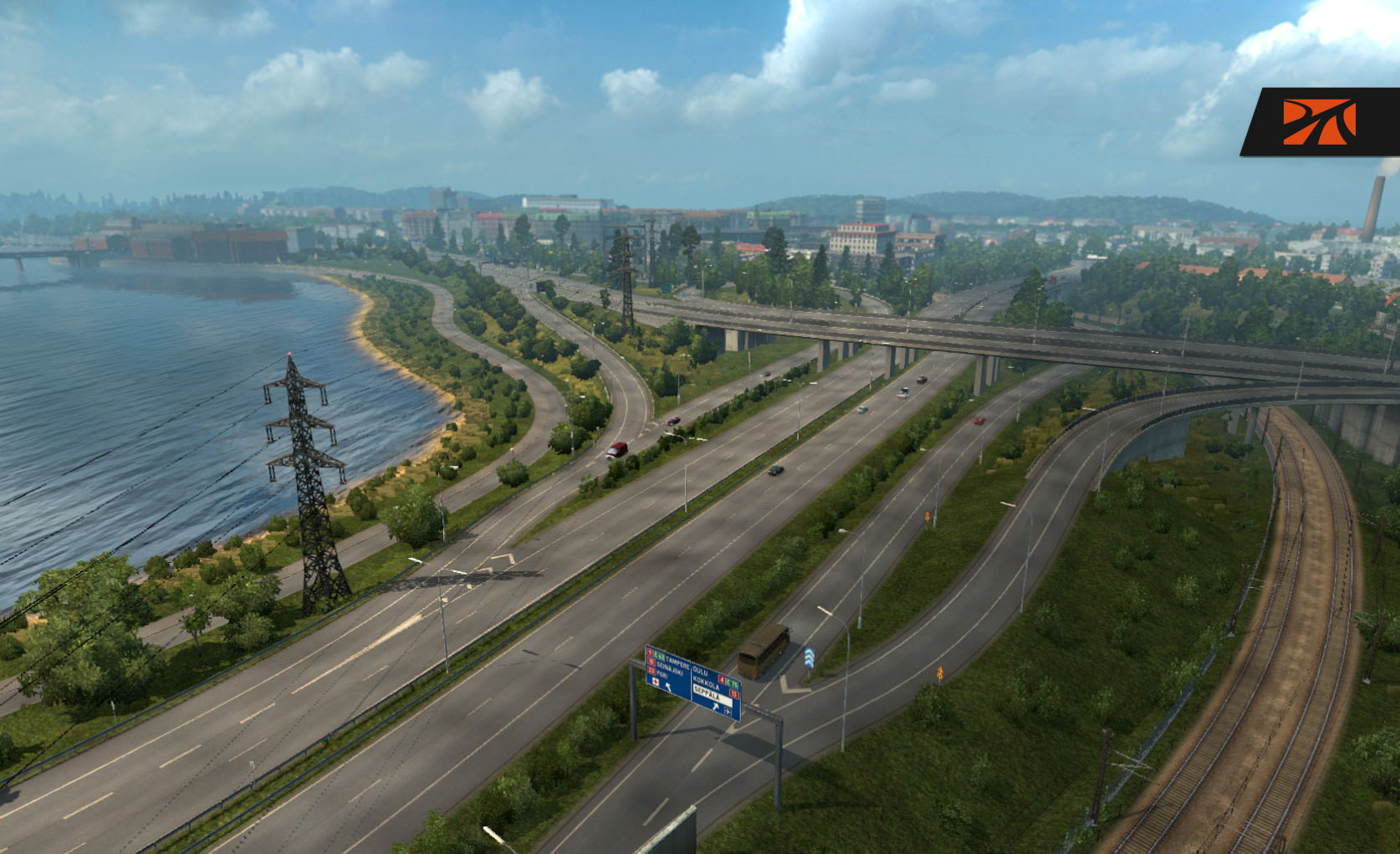
As a bonus, we added some new content all over the map for you to enjoy. But it’s up to you to discover the new or enhanced places.
[button color=”orange” url=”http://download.promods.net/”]Download Current Version[/button]
You must own the Going East! DLC as well as the Scandinavia DLC in order for ProMods 2.02 to work, and note it is compatible with ETS2 version 1.23 only – so it will NOT work with ETS2 1.22 and lower.
We provide a file testing tool for those who are struggling with the multi-part 7-zip archives. You can find the tool on the download page. The archive contains some instructions if you need them. This tool will check the integrity of the packages and will alert you if your packages were corrupted during the download.
Thank you for your support
During early April our community reached two milestones:
We now have more than 250,000 users in our forums, with more than 250 active users reading and discussing our development topics every day. This wide user base opens us the opportunity to get quick and qualified feedback about the details and closeness to reality of our various projects.
And our Twitter account has more than 1000 followers now, nearly one year after we started it. Feel free to follow our latest news there or share your love with the #ProModsFan hashtag.
The amount of people who follow our work never ceases to amaze us! On to the next milestone: 25k Facebook likes!
Update: Hotfix 3
During the past few days, we have recieved fatal bug reports in areas that were thoroughly tested before, but gave problems in ETS2 1.23. Since these bugs could be fixed quite quickly once identified and are easy to isolate, we decided to release a hotfix:
[button color=”orange” url=”http://www96.zippyshare.com/v/qvjgr0O5/file.html”]Download Hotfix 3[/button]
The following issues are fixed:
- Crashes to Desktop in Rīga, Bucuresţi and Egilsstaðir related to prefabs
- Possible CTD fixes for München and Köln (not tested yet!)
- Invisible wall at Køge-Vest (E20×E47)
- Invisible wall at the A20 near Toulouse
- Invisible wall at Jyväskylä
- Graphical bugs in Jyväskylä
- Fixes in Szczecin and Łódź
- Added a gas station in Lithuania on the A8
- Fixed some stupid bugs caused by Hotfix 2
Note that this hotfix must be placed on top of the Mod Manager, above all other ProMods files!

44 Comments
erik5146
Steam workshop idea: Promods 2.02-1.23
Hi Promods 😀
What you could do to get Promods on Steam workshop is that you upload all seperate files on steam workshop:
promods-assets-v202.scs
promods-map-v202.scs
promods-media-v202.scs
promods-model1-v202.scs
promods-model2-v202.scs
As long as those are not to big!
From erik5146 (Donator)-Norway
Stummer
Unfortunately the Steam Workshop has a limit of 1 GB – per user. That’s too small for us.
And the most important reason: SCS does not support map mods on Workshop at all.
Carlos Jorge Arranz
Gracias a los que nos haceis posible pasar unos momentos geniales, descubriendo Europa.
Un abrazo
rafik959595
Czy Publikowanie na różnych forach społecznościowych jest karalne ?
RadolSzczecin
Możesz na forum podać adres źródłowego forum mapy Promods.
Nie zezwalamy na umieszczanie bezpośrednio linków.
Kenny
How do i install 2.02? after the download i just have a bunch of files that end on a number and my winrar says the file is damaged, i had the exact same issue with 1.01
Stummer
Check if you use the most current version of WinRAR (or 7zip).
We also offer a tutorial about how to install our map:
http://www.promods.net/viewtopic.php?f=5&t=3852
ldolmoff
7zip works fine 😉
dimstam
thanks a lot guys for the update
Poulakis
Still lack of GPS routes on many jobs here after this update :/
alchemist
Hi all..after installing the PM 202 version the city’s are not on the right place anymore in the map?? Must I place the new PM file first or after the russian map in priority, at least, I think that’s why the place’s/city’s are at the wrong place..
alchemist
I guess I’l have to correct myself folks..what I meant that the FreightCentre map is wrong….all the places are moved to an other place on the map…more people dealing with the same problem? The upgrade is perfect tough..especially the roundabout and crossings…they are great..Thank you team , thumbs up
alchemist
Stummer
If you use RusMap together with ProMods, you have to enable the appropriate option while generating ProMods DEF file. And ensure that ProMods DEF file has the highest priority of all map mods.
Teo-C4
День добрый!
В паке есть отдельный пак с фирмами.
После их установки, в самой игре пишет – НЕ СООТВЕТСТВУЮЩАЯ ВЕРСИЯ ИГРЫ.
А за саму карту Огромное Спасибо!
Vladzz-G
Разработчики официального ProMods аддона “трейлеры и фирмы” сейчас работают над обновлением для новой версии.
jabu
thanks promods I’m lovin the new look of lublin
tumanejro
to co się zmieniło ?
mido
Hi, Promods Team,
I have a problem in Poland between Warsaw and turn to Brest.
The game is crashed. Everytime.
this is my log:
00:03:30.495 : [fs] fs_open called with invalid path “” (expected absolute path, starting with slash)
00:03:30.496 : [resource_task] Can not open ”
00:03:30.505 : [fs] fs_open called with invalid path “.pmg” (expected absolute path, starting with slash)
00:03:30.505 : [resource_task] Can not open ‘.pmg’
00:03:30.505 : [model] Model descriptor ” is malformed.
00:03:30.505 : [model] Model geometry ‘.pmg’ is malformed.
00:03:30.505 : [fs] fs_open called with invalid path “” (expected absolute path, starting with slash)
00:03:30.505 : [ld] Failed to open ”.
00:03:30.505 : model_template.cpp(560): ?cache_data_handler@model_template_u@prism@@UAEXXZ: Failed to load model descriptor (.pmd) or model geometry (.pmg) for ‘.pmg’.
mido
upd. just have fixed the problem
Hrapek
How did you fix it? I have this problem in 2 places between Warsaw and Brest…. I had to drive via Lublin.
Stummer
Do you have the “Hotfix” installed and activated?
Anton
The connector between Promods and Rusmap was damaged. Just download the latest one.
Anton
Here it is:
http://www.promods.net/viewtopic.php?f=42&t=10186&start=210#p119951
tenten2560
Want to apply
george
Hi, with which maps pro mods works? I’ve tried only with rusmap.
dimstam
EAA team Brasil map works with promods 2.02 also.But atm the only bug i found is for example the germany is in poland.I mean the dots on map are not in correct places the promods 2.02 have it.And also the credits for the works i believe are lower than normal.
ojacques
I’d like to report some bug in ET2 1.23 and Promod 2.02
on the highway betwen limoge and Toulouse (in France) on the bridge I was stopped by an invisible wall (after Sarlat/figeac).
At tours (in France) when I take the right way at the peage, after take the ticket or pay I was stopped by an invisible wall (not on the other way).
——————————-
In french.
sur l’autoroute entre Limoge et Toulouse après Sarlat / Figeac, il y a un mur invisible empechant la traversée du pont.
A tours au péage, sur les voies de droite après avoir pris unt icket ou payé, il y a un mur invisble (non constaté sur les autres voies).
Claverx
Hello,
I would like to point out that the hotfix 1 is now outdated: there is now the hotfix 3 ;-))
Please correct your blog!
tks
Stummer
THanks – I updated the pages 😉
D-Maxx
Can you perhaps make a Promods map whith the Going east only
Stummer
No, we can’t.
We’re using many of the models included in the Scandinavia DLC all over our own parts of northern Europe. So we simply need this DLC.
And publishing two versions (one with and one without the DLC requirement) would be too much work to maintain the different connections with the vanilla map in both versions.
JONATHAN 03390
BONJOUR JE SETE JOLIE MAP QUI EST TRE BELLE
Phoenix
Hi everbody
My Steam Installation automaticly updates the installation. Now there there is a warning (!) at the active ProMods Mods. I played the game last at friday (3. June 2016), everything ok! Today, after the update, there are the warnings. Sorry, I could not say what was the last version on Friday. I tested some Internet-Tips to reset to a later Beta-Version via the Properties of ETS2 at the Steam Account.
Could someone help me?
Thanks a lot!
Stummer
This is because ProMods 2.02 is not compatible with ETS2 1.24 – but we’re working on an update.
Phoenix
Thanks a lot! I tried some other Betas an “oculus-Experimental Oculus Support 1.3.0 – 1.23 works fine.
David
Dear,
I need help, I have successfully downloaded and installed the mod, but it says INCOMPATIBLE. I have seen in the files that is version 2.03. I have downloaded it from this post. Can you tell me how can I get the regular 2.02 version for ETS 2 v.1.23?
Douglas Labuschagne
I have the same problem, I can download 2.02 from somewhere else, but where do I get the def file?
Diez
sorry for the spam but when it will be possible to download Western Ukraine Project ??
kaka
hi promods, why i cant download this version anymore?? because in compact they say comming soon???
kaka
i mean compatibility
Alan
Help , when i activate promods and start game and it’s loading it’s crash game to widnows 🙁
help what i have do with that problem
Stummer
Please post your issue and your game.log.txt in our troubleshooting forum: http://www.promods.net/viewforum.php?f=5
MyrAme
Więc działa na ETS 2 1.23.1 ???
Czy działa z Poland Rebuilding oraz RusMap ???
Stummer
Yes, Poland Rebuilding and RusMap are compatible with our map.